Strength training · plans and logging
Follow a plan.
Log every set.
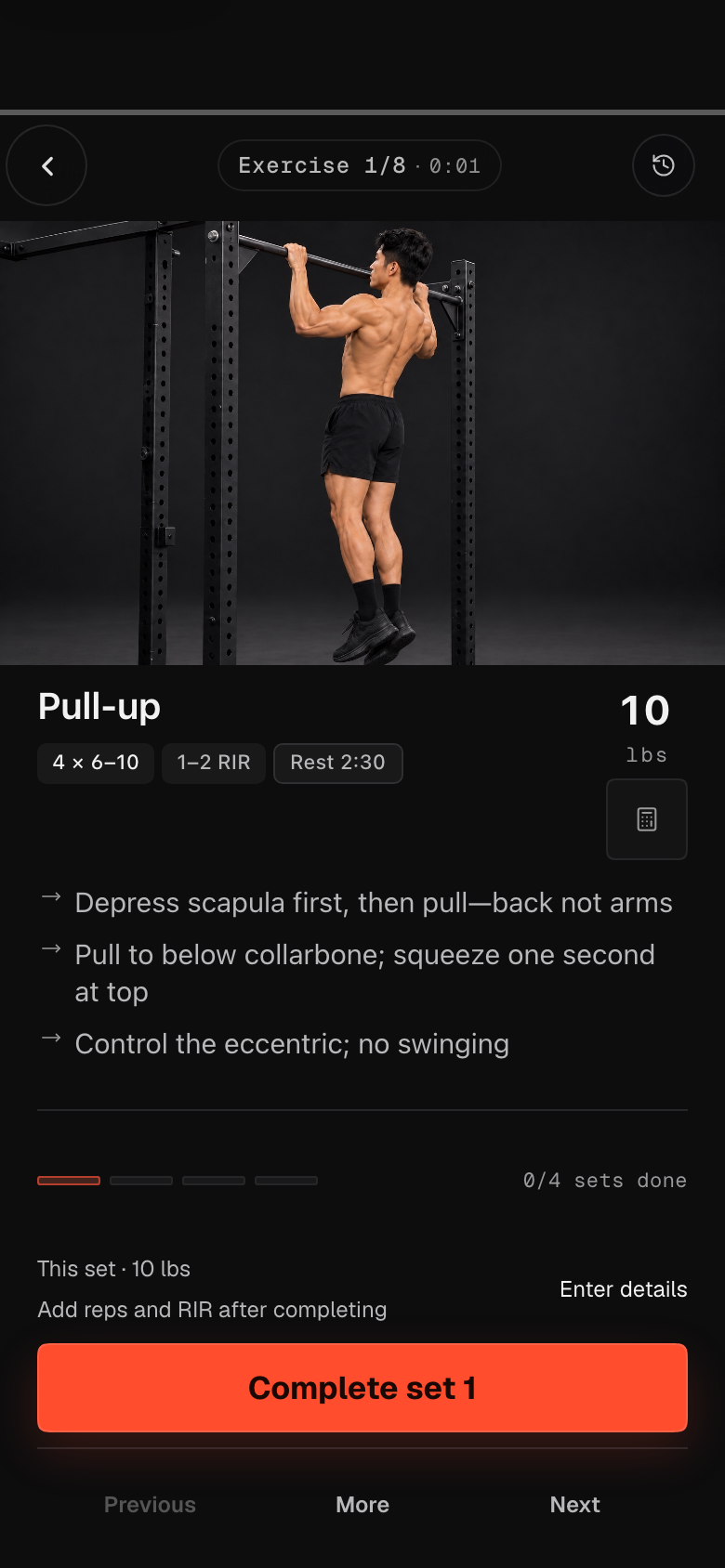
Pick a plan template and log weight, reps and RIR set by set, with the rest timer and plate math on the same screen. Next time picks up from the weight you used.
Works without an account — workouts are saved on this device. Create an account to sync across devices.
Made for training like this
Gym 3–6 days a week
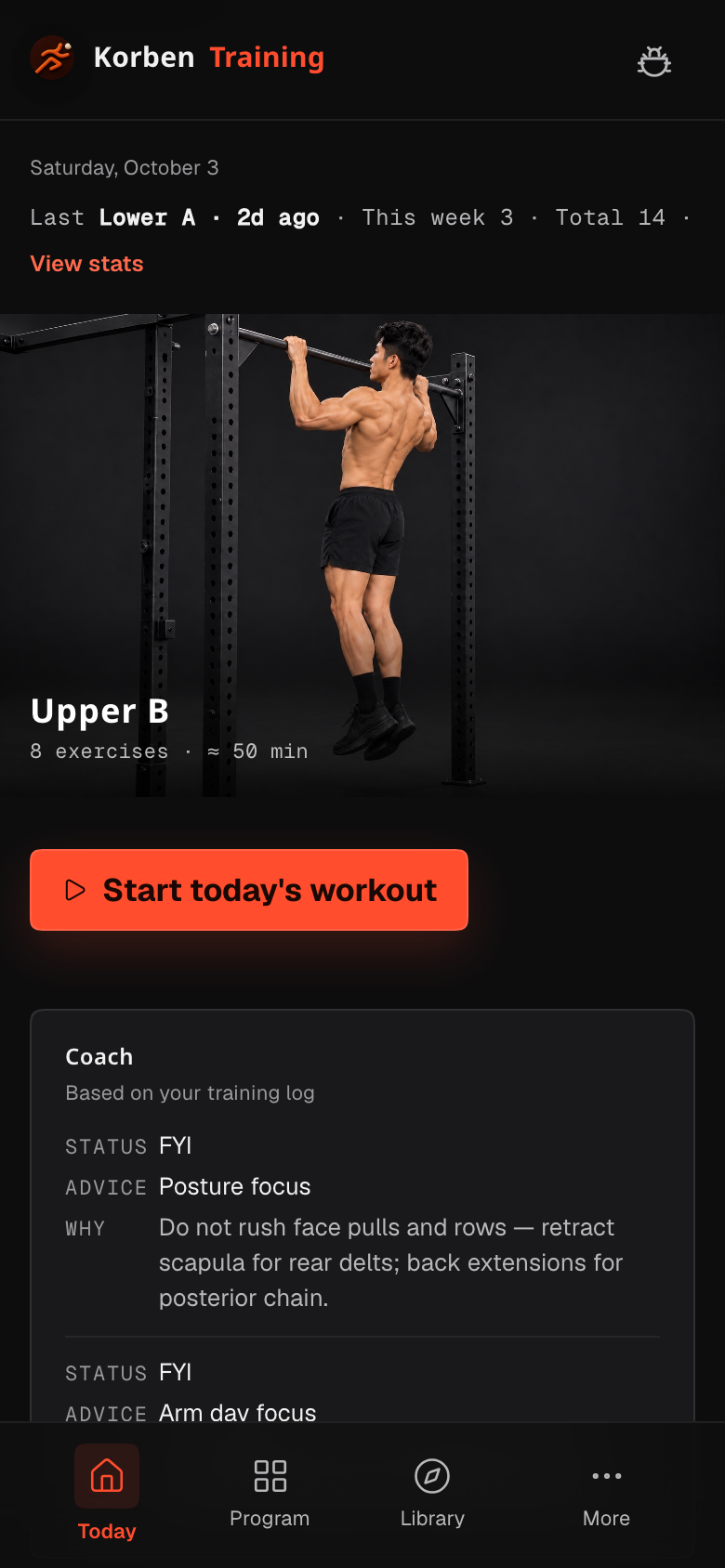
Templates for full body 3 days, upper/lower 4 days and push/pull/legs 6 days, with the next day suggested from your rotation.
Knowing what to lift next
Each exercise remembers your last weight and reps, and suggests adding weight once you hit the top of the rep range.
Phone and laptop
Signed in, your workouts, settings and plan edits sync between devices. Offline, they wait on the device.
Built for the gym floor
Focus logging
One exercise at a time: complete a set, adjust weight, log reps and RIR, undo a mistake.
Rest timer
A rest countdown starts after each set. Skip it or add time, with optional sound and notifications.
Plate calculator
Enter a target weight and see which plates go on each side for your bar and plates.
Editable plans
Add or remove exercises, change sets and reps, reorder, and skip or swap an exercise for the day.
History and stats
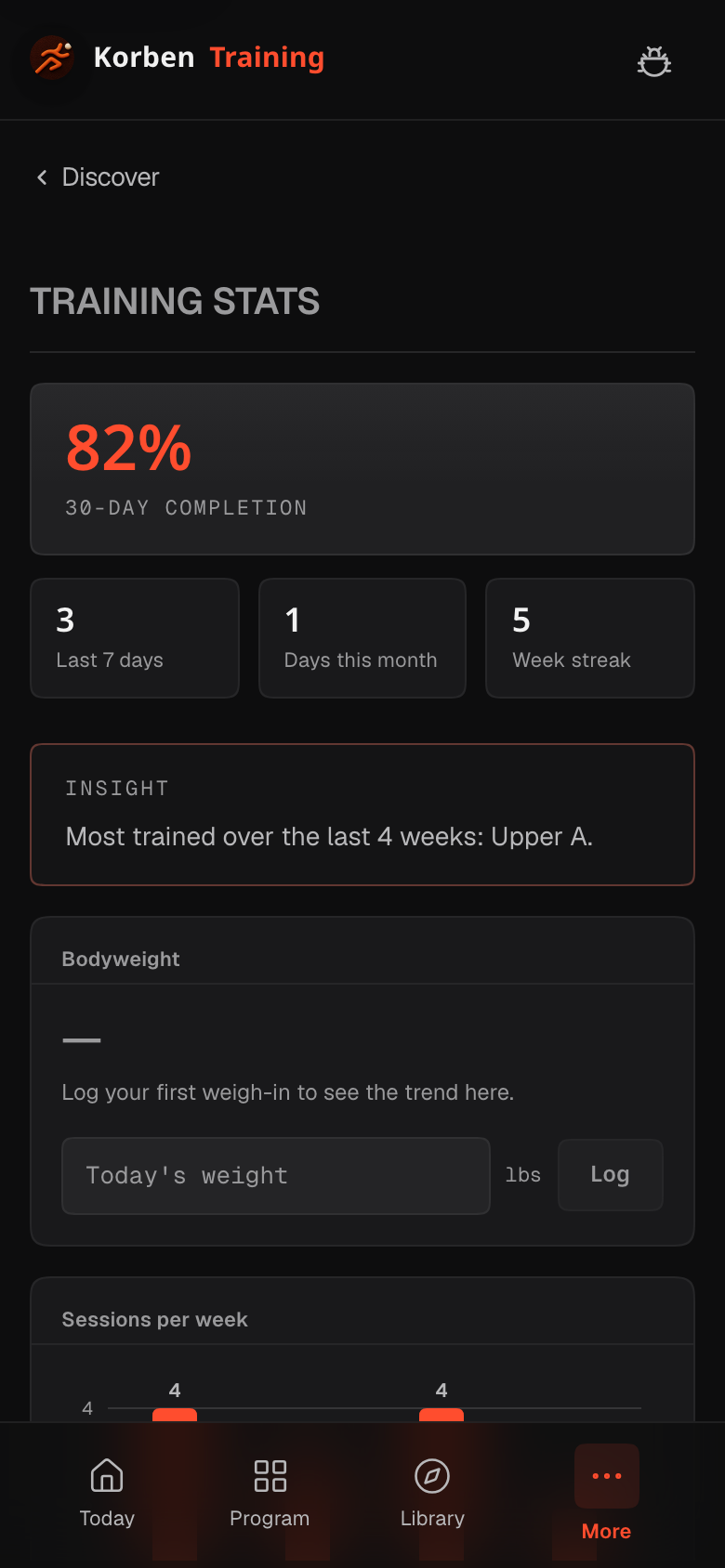
Look back at every session, training volume, exercise trends and personal records.
Deload reminders
After a long stretch of training you get a reminder to plan a deload week. Starting one is your call.
From the first session to a habit
A minute of setup
Choose language and kg or lbs, answer experience, goal and days per week, and pick a starting plan. No height, weight or health questions.
Log your first workout
Work through the plan set by set and enter the weight you actually use the first time.
Review
See a summary when you finish, and volume and per-exercise trends in history and stats.
Keep going
Next time it suggests the next day in your rotation, starting from your last weights.
Where it runs
Browser
Any modern browser on phone or computer. Nothing to install.
Home screen
Use “Add to Home Screen” in your phone’s browser to open it full screen. Pages you’ve opened keep working offline, and sync when you’re back online.
Native app
There is no app in the app stores at the moment.
Questions
Do I need an account?
No. Everything works without signing in, and your workouts are saved in this browser. Create an account with your email when you want to continue on another device, or not lose data when the browser is cleared.
How can I sign in?
Email and password only, for now — the same Ken’s Toolbox account as Broadser. After signing up, open the link in the confirmation email. Forgot your password? Reset it from the sign-in page.
Where is my data, and who can see it?
Signed in, it’s stored with your Ken’s Toolbox account (a Supabase-hosted database), where each account can only read and write its own records; your browser keeps a copy. See the privacy page.
Does it work offline?
Yes, you can keep logging: workouts are saved on the device and sync to your account once you’re online. The first visit needs a connection.
Will it ask for my height, weight or health data?
No. Setup asks only language, unit, experience, goal and days per week. Body-weight tracking is optional and only saved if you enter it.
Can I export or delete my data?
Settings → Data lets you export a full backup at any time. Signed in, Delete my training data removes all your training data from your account and this device at once. To delete the Ken’s Toolbox account itself, send us a message from the help page.
Start your first workout
One minute of setup, then straight into your first training day.